
Travel smarter. Fly easier. Get the Southwest® app.



The Southwest app—your trip, simplified.
The Southwest app is your convenient tool for managing your travel experience. Book flights, check in, get real-time updates, and experience seamless travel from booking to arrival.
Download the app and take your next trip to new heights.
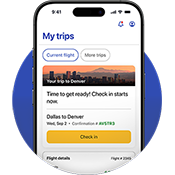
From planning to booking
Booking your next trip is now simpler than ever.
- Search and book flights with ease to over 117 destinations
- Find great deals with our low fare calendar
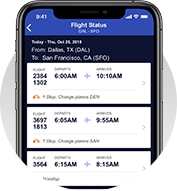
Manage your flights on the fly.
Stay informed and in control of your trip.
- Check in, access your digital boarding pass, and add it to Apple Wallet or Google Wallet
- Digitally check and track your bags
- Track your flight status and get travel updates
- View of change your assigned seat (where available)
- Upgrade to Priority Boarding (where available)
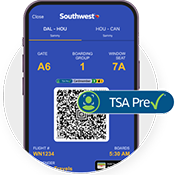
TSA PreCheck® Touchless ID
TSA PreCheck Touchless ID is a new benefit for TSA PreCheck members. It uses facial comparison technology to verify your identity without needing to pull out a physical ID or boarding pass at select airport checkpoints. Locate the airport ambassador and show your mobile boarding pass with the TSA PreCheck Touchless ID indicator displayed. Walk up, walk through. It's that fast and easy.
Learn more about TSA PreCheck Touchless ID
Do more in the Southwest app
Everything you need for a smooth travel experience.
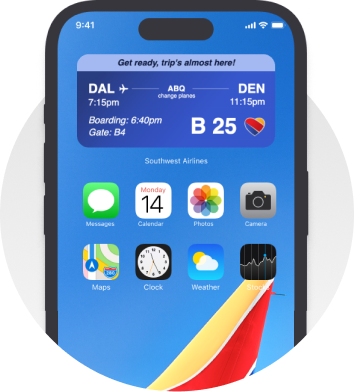
Add the Southwest widget to your iOS device
Stay on top of your travel without opening the app. Add the Southwest widget to your iOS device home screen to instantly view:
- Upcoming flight details
- Departure times
- Gate information
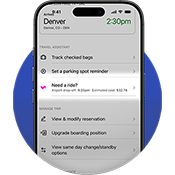
Get to the airport with Lyft
Book a Lyft ride directly through the Southwest app up to four hours before your flight or before you arrive at your destination. With location services enabled, you’ll see:
- Estimated arrival time at the airport
- Estimated ride cost
- Your pickup and drop-off details
Just sign in with your Rapid Rewards® number to get started.

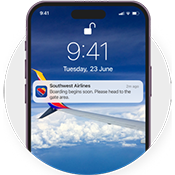
Stay updated on your day of travel
Get real-time push notifications through the app, including check-in reminders, boarding alerts, gate changes, and other day-of-travel updates.
Push Notification FAQs
On initial launch of the app, you will be prompted to opt in to push notifications. If you choose to opt in, you will start to receive push notifications. If you decide you do not want push notifications at the time of launch, you are always able to either opt out or in via your app settings.
Absolutely. Manage your notification preferences in the app settings whenever you like.
- Android: Your photo and notes stay saved until you delete them.
- iPhone: Your parking info is removed when you sign out. Please avoid uploading sensitive information (like license plates or VINs) if others may access your device.