Southwest Rapid Rewards® Tiers: Silver,
Gold, and Platinum explained
5 min read • Updated October 2026
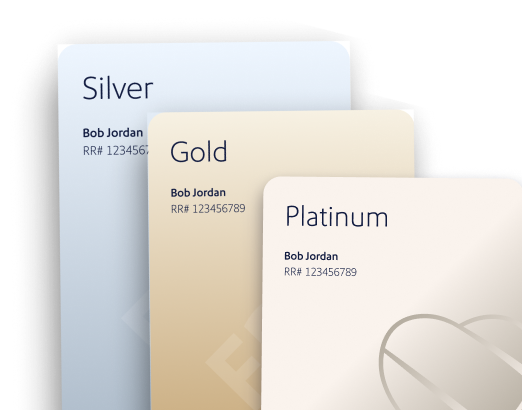
Silver will replace A-List, Gold will replace A-List Preferred, and the new Platinum will become the highest tier of Rapid Rewards status, offering the most valuable benefits, including unlimited Companion Pass® trips.
What are the Southwest Rapid Rewards Tiers for 2027?
Starting January 1, 2027, Members can qualify for Silver, Gold, or Platinum status by earning the required Tier Qualifying Points or completing the required number of qualifying one-way flights:
| Silver | Gold | Platinum | |
|---|---|---|---|
| Current equivalent | A-List | A-List Preferred | New |
| TQPs | 35k | 65k | 140k |
| Flights | 25 | 50 | 100 |
If you earned A-List or A-List Preferred status for 2027 based on your 2026 activity, your status will automatically transition to Silver or Gold, respectively, on January 1, 2027.

Rapid Rewards® Silver
Silver Members enjoy benefits designed to make travel easier, including Group 1 boarding, one free checked bag, and the ability to select a Standard or Preferred seat at booking with no additional cost, when available.
If you earned A-List status for 2027 based on your 2026 activity, you'll become a Silver Member January 1, 2027.
How do you earn Silver status?
Beginning January 1, 2027, Members can earn Silver status by fulfilling either of these qualifications during the calendar year:
Silver qualification:
What benefits come with Silver?
Here's how Silver benefits compare with current A-List benefits:
| Benefits | A-List (2026) | Silver (2027) |
|---|---|---|
| Select a Preferred or Standard seat at booking at no additional cost, when available1 | ✓ | ✓ |
| Upgrade to an Extra Legroom seat within 48 hours of departure, when available2 | ✓ | ✓ |
| Board in Group 15 | ✓ | ✓ |
| First checked bag free6 | ✓ | ✓ |
| Second checked bag | $35 | Standard Fee* |
| Earning bonus on qualifying flights7 | 25% | 40% |
| Priority Lane and Express Lane access9 | ✓ | ✓ |
| Priority Member Support3 | ✓ | ✓ |
| Same-day standby even with Basic fares10 | ✓ | ✓ |
*Silver Members who earned A-List status for 2027 based on their 2026 activity will pay $35 for their second checked bag for flights on or before December 31, 2027.
How will A-List transition to Silver?
Beginning January 1, 2027, Silver will replace A-List in the new Rapid Rewards Tier structure. If you earned A-List status for 2027 based on your 2026 activity, you'll automatically become a Silver Member January 1, 2027 and begin earning a 40% earning bonus on qualifying flights.

Rapid Rewards Gold
Gold builds on Silver benefits with additional travel perks. Gold Members receive Extra Legroom seat selection at booking, boarding before Group 1, two free checked bags, and up to two premium drinks on select flights.
How do you earn Gold status?
Beginning January 1, 2027, Members can earn Gold status by fulfilling either of these qualifications during the calendar year:
What benefits come with Gold?
Here's how Gold benefits compare with current A-List Preferred benefits:
| Benefits | A-List Preferred (2026) | Gold (2027) |
|---|---|---|
| Select a Standard, Preferred1, or Extra Legroom seat at booking4 at no additional cost, when available | ✓ | ✓ |
| Board before Group 15 | ✓ | ✓ |
| First and second checked bags free6 | ✓ | ✓ |
| Earning bonus on qualifying flights7 | 100% | 60%* |
| Two premium drinks per flight8 | ✓ | ✓ |
| Priority Lane and Express Lane access9 | ✓ | ✓ |
| Priority Member Support3 | ✓ | ✓ |
| Same-day standby even with Basic fares10 | ✓ | ✓ |
*Members who earn A-List Preferred status for 2027 based on their 2026 activity will retain their 100% flight-point earning bonus through December 31, 2027.
How will A-List Preferred transition to Gold?
Beginning January 1, 2027, Gold will replace A-List Preferred in the new Rapid Rewards Tier structure. If you earned A-List Preferred status for 2027 based on your 2026 activity, you’ll automatically become a Gold Member on January 1, 2027.

Rapid Rewards Platinum
Starting January 1, 2027, Platinum will be a new Rapid Rewards Tier designed to recognize Members with the program's highest level of benefits. Platinum Members will enjoy unlimited Companion Pass trips, three free checked bags, Extra Legroom seat selection at booking, and additional travel benefits.
How do you earn Platinum status?
Beginning January 1, 2027, Members can earn Platinum status by fulfilling either of these qualifications during the calendar year:
What benefits come with Platinum?
Platinum includes our highest level of Rapid Rewards benefits, including:

Unlimited Companion Pass trips
Bring your designated Companion when you fly.11

Priority boarding
Board before Gold Members and Group 1.5

Extra Legroom seat selection
Select our roomiest seats at booking, when available.2

First, second, and third checked bags free6
Weight and size limits apply.

120% flight-point earning bonus
Earn double the Rapid Rewards points (and then some) on qualifying flights.7

Priority Member Support
Receive priority assistance when you contact us.3

Priority Lane and Express Lane access
Enjoy the convenience of a dedicated lane at Southwest® check-in and at security when available.9

Same-day standby
Take advantage of same-day standby, even with Basic fares.10

Two premium drinks per flight
On select flights, enjoy two premium drinks on us.8
Compare Silver, Gold, and Platinum benefits
 Silver
TQPs 35k or Qualifying Flights 25
- Select a Preferred or Standard seat at booking at no additional cost, when available1
- Upgrade to an Extra Legroom seat within 48 hours of departure, when available2
- Board in Group 15
- One checked bag free6
- 40% earning bonus on qualifying flights7
- Priority Lane and Express Lane access9
- Receive Priority Member Support3 when contacting us
- Same-day standby, even with Basic fares10
 Gold
GoldTQPs 65k or Qualifying Flights 50
- Select any seat at booking, including Extra Legroom seats, at no additional cost, when available1
- Board before Group 15
- Up to two checked bags free6
- 60% earning bonus on qualifying flights7
- Priority Lane and Express Lane access9
- Receive Priority Member Support3 when contacting us
- Same-day standby, even with Basic fares10
- Two complimentary premium drinks per flight8
 Platinum
TQPs 140k or Qualifying Flights 100
- Unlimited Companion Pass trips11
- Select any seat at booking, including Extra Legroom seats, at no additional cost, when available1
- Board before Gold Members and Group 15
- Up to three checked bags free6
- 120% earning bonus on qualifying flights7
- Priority Lane and Express Lane access9
- Receive Priority Member Support3 when contacting us
- Same-day standby, even with Basic fares10
- Two complimentary premium drinks per flight8
How to earn Southwest® Tier Qualifying Points (TQPs)
Beginning January 1, 2027, Tier Qualifying Points (TQPs) will be the single qualifying points currency used across all Rapid Rewards Tiers, Milestone Rewards, and Companion Pass benefits. Members can earn TQPs in five ways:
- Completing travel on qualifying flights operated by Southwest
- Making qualifying purchases on Southwest Rapid Rewards® Credit Cards
- Making qualifying purchases on the Rapid Rewards® Debit Card12
- Completing qualifying Getaways by Southwest® vacation bookings
- Completing travel on qualifying Southwest Groups bookings
What happens to my current A-List or A-List Preferred status?
If you earn A-List or A-List Preferred status for 2027 based on your 2026 activity, your status will automatically transition on January 1, 2027. A-List Members will become Silver Members, while A-List Preferred Members will become Gold Members. Your status will remain valid through December 31, 2027.
What happens to my current Companion Pass?
If you earn Companion Pass in 2026 under the current program rules, you'll continue to enjoy unlimited Companion Pass trips through December 31, 2027.
If you're currently registered in a Companion Pass promotion, your participation will be honored. Once you meet the promotion's qualifying flight or spend requirements, you'll receive the Companion Pass benefits outlined in the offer for the specified benefit period. No action is needed beyond meeting your current offer requirements.
Important information
1. Preferred Seat Selection at Booking: When available, Silver Members will be able to select a Preferred or a Standard seat at the time of booking, or up to 60 minutes prior to a flight's scheduled local departure time. If no Preferred or Standard seat is available, Silver Members will be assigned a seat in accordance with the fare rules of the ticket purchased. When available, Silver Members will be able to select Preferred or Standard seats for up to 8 additional Passengers on the same reservation as the Silver Member, allowing for a total of 9 Preferred or Standard seats. If the Silver Member is removed from the reservation and there is no tier Rapid Rewards® Member or primary Cardmember with the same or greater seating benefits, all seating selections for that reservation will be released and seats will be assigned in accordance with the fare rules of the ticket purchased. Benefits may not apply on itineraries booked with partner airlines. Silver Members should allow up to 14 days for tier status to be updated in their Rapid Rewards account to be eligible for this benefit. Rapid Rewards account and Silver status must be open and in good standing when selecting a Preferred or Standard seat. If your Rapid Rewards account is voluntarily closed or tier status expires before travel, any existing seat selection will be maintained. However, any modification to the reservation made after the account closure/status expiration will result in the loss of the seat assignment. All Rapid Rewards rules and regulations apply and can be found at Southwest.com/rrterms.
2. Extra Legroom Seat Upgrade at 48 hours: When available, Silver Members will be able to upgrade to an Extra Legroom seat within 48 hours prior to flight departure for themselves and up to 8 additional Passengers on the same reservation, allowing for a total of 9 Extra Legroom seats. If the Silver Member is removed from the reservation and there is no Rapid Rewards® Tier Member or primary Cardmember with the same or greater seating benefits, all seating selections for that reservation will be released and seats will be assigned in accordance with the fare rules of the ticket purchased. Benefits may not apply to itineraries booked with partner airlines. Silver Members should allow up to 14 days for tier status to be updated in their Rapid Rewards account to be eligible for this benefit. Rapid Rewards account and Silver status must be open and in good standing when selecting a Preferred or Standard seat. If your Rapid Rewards account is voluntarily closed or tier status expires before travel, any existing seat selection will be maintained. However, any modification to the reservation made after the account closure/status expiration will result in the loss of the seat assignment. All Rapid Rewards rules and regulations apply and can be found at Southwest.com/rrterms.
3. Priority Member Support: To receive the benefit, Tier Members must provide their Rapid Rewards account number or phone number associated with their Rapid Rewards account when contacting Southwest.
4. Extra Legroom Seat Selection at Booking: When available, Gold and Platinum Members will be able to select an Extra Legroom, Preferred or a Standard seat at the time of booking, or up to 60 minutes prior to a flight's scheduled local departure time. If no Extra Legroom, Preferred or Standard seat is available, Gold and Platinum Members will be assigned a seat in accordance with the fare rules of the ticket purchased. When available, Gold and Platinum Members will be able to select Extra Legroom, Preferred or Standard seats for up to 8 additional Passengers on the same reservation as the Gold Member, allowing for a total of 9 Extra Legroom, Preferred or Standard seats. If the Gold or Platinum Member is removed from the reservation and there is no Rapid Rewards® Tier Member or primary Cardmember with the same or greater seatings benefits, all seating selections for that reservation will be released and seats will be assigned in accordance with the fare rules of the ticket purchased. Benefits may not apply on itineraries booked with partner airlines. Gold and Platinum Members should allow up to 14 days for card status to be updated in their Rapid Rewards account to be eligible for this benefit. If your Rapid Rewards account is voluntarily closed or tier status expires before travel, any existing seat selection will be maintained. However, any modification to the reservation made after the account closure/status expiration will result in the loss of the seat assignment. All Rapid Rewards rules and regulations apply and can be found at Southwest.com/rrterms.
5. Boarding: Our Rapid Rewards® Silver, Gold and, Platinum receive a boarding benefit based on seat type and seat location. Platinum members board before Group 1 and Gold members. Gold members board before Group 1. Silver members board with Group 1.
6. Checked Bag Free: Rapid Rewards® Platinum Members receive three free checked bags. Gold Members receive two free checked bags. Silver Members only receive their first checked bag for free. Checked bag benefits do not apply on flights booked with a partner carrier. Weight and size limits apply. Additional allowances, benefits, and/or exceptions may apply. Learn more.
7. Earning Points: Silver Members will get a 40% earning bonus on every qualifying flight. Qualifying flights include flights booked and flown through Southwest® and flights paid entirely with dollars, Southwest LUV Vouchers®, gift cards, vacation travel credits, or flight credits, and with no portion of the purchase price paid for with Rapid Rewards points. Gold Members will get a 60% earning bonus on every qualifying flight. Qualifying flights include flights booked and flown through Southwest® and flights paid entirely with dollars, Southwest LUV Vouchers®, gift cards, vacation travel credits, or flight credits, and with no portion of the purchase price paid for with Rapid Rewards points. Platinum Members will get a 120% earning bonus on every qualifying flight. Qualifying flights include flights booked and flown through Southwest® and flights paid entirely with dollars, Southwest LUV Vouchers®, gift cards, vacation travel credits, or flight credits, and with no portion of the purchase price paid for with Rapid Rewards points.
8. Complimentary premium drink: Customers in Extra Legroom seats will be offered a complimentary premium snack (on select flights traveling 301 miles or more) and complimentary premium drinks (on select flights traveling 251 miles or more). Platinum and Gold Members seated in Preferred or Standard seats receive up to two complimentary premium drinks per leg. Service may be modified or limited at Southwest's® discretion. Must be 21 or older to consume alcoholic beverages. Alcohol served onboard must be consumed onboard the aircraft. Excluding Hawaii interisland flights, complimentary snacks are served on select flights 251 miles or more. If you're flying between Hawaii and the continental U.S., you'll have more snacks to choose from. Service may also be limited at Southwest's discretion. Alcohol purchased onboard must be consumed onboard. You must be 21 years or older to drink alcoholic beverages. According to the U.S. Surgeon General, women who are pregnant or who may become pregnant should not drink alcoholic beverages because of the risk of birth defects. Images of the alcoholic beverage product do not reflect how it is actually served. In accordance with FAA regulations, Customers are prohibited from consuming alcoholic beverages onboard that are not served by Southwest Airlines®. Customers will not receive a beverage with a cap.
9. Priority and Express Lanes: Priority and Express Lanes, (where available), can be accessed by Choice Extra and Choice Preferred Customers and Platinum, Gold, and Silver Members. Priority Lane is located at Southwest® check-in counters, and Express Lane is at security checkpoints.
10. Free same-day change/standby: Same-day change: Same-day change: On the day of travel, you can switch free of airline charges to another flight with space available departing on the same calendar day between the same origin airport and destination airport as your original flight. Free same-day change is only available for Choice Extra, Choice Preferred, or Choice fares. Basic fares and Rapid Rewards® Platinum, Gold, and Silver Members are not eligible for free same-day change unless the Member purchases a qualifying fare. Same-day standby: You can list for same-day standby on an earlier flight via a Southwest® Same-day change: On the day of travel, you can switch free of airline charges to another flight with space available departing on the same calendar day between the same origin airport and destination airport as your original flight. Free same-day change is only available for Choice Extra, Choice Preferred, or Choice fares. Basic fares and Rapid Rewards® Platinum, Gold, and Silver Members are not eligible for free same-day change unless the Member purchases a qualifying fare. Same-day standby: You can list for same-day standby on an earlier flight via a Southwest® Customer Service Agent at the airport or the Southwest app or mobile web. You will receive a message based on the contact preference selected during booking if you are cleared on the flight. For both same-day change and same-day standby, you must change your flight or request to be added to the same-day standby list at least 10 minutes prior to the scheduled departure of your original scheduled flight or the no-show policy will apply. If using the app or mobile web, you must make the change or list your name 60 minutes (for domestic flights) or 90 minutes (for international flights) ahead of the new flight's scheduled departure. You will be required to pay any government taxes and fees associated with these itinerary changes, but refunds will be provided. Your original seat and boarding group is not guaranteed. Southwest® Business Customers booked through travel agencies may need to see a Southwest Agent at the airport for both a same-day change or standby listing. See Southwest.com/standby for more details.
11. Companion Pass®: Companion Pass benefits allow a Member to designate one Companion to fly with the Member on Southwest®-operated flights. A Companion's reservation must be booked through Southwest. A Companion's reservation is not a purchased flight and cannot be used to book another Companion Pass reservation. A Companion Pass cannot be added to travel booked through Getaways by Southwest®, Group Travel, charter flights, Interline Itineraries, or nonrevenue travel. Member must first book and purchase their own flight before booking the Companion's flight through Southwest by choosing the Rapid Rewards® Companion Pass booking option on Southwest.com®, or by calling our toll-free reservations number at 1-800-248-4377, and notifying the Customer Representative that Rapid Rewards Companion Pass benefits will be used. The Member and the Companion must be booked on the same flights and dates. If the Member cancels, changes, or does not travel on the reservation, the Companion's reservation will be canceled. The Member and the Companion must check in together and may be required to present Companion Pass documentation at the Southwest Ticket Counter, Skycap podium (where available), or departure gate for the Companion to travel. Valid photo identification for both Member and the Companion is required. The Member and Companion must board with their assigned boarding group(s). An ancillary purchase applies only to the Passenger for whom it is purchased. The Member is limited to one Companion at any time. After designating a Companion, the Member may receive notification of such designation. The Companion Pass benefit is not transferable. The Member may change their designated Companion up to three (3) times each calendar year. Any reservation with the current designated Companion must be cancelled before changing the designated Companion. Companion changes can be made on Southwest.com, the Southwest app, or by calling 1-800-435-9792. Allow 21 business days for processing the change of Companion. The Member's designated Companion must be an individual. An individual may not travel as both a Member and a Companion on the same flight. Corporations and other entities cannot be designated as Companions. Companion Pass travel has no blackout dates but is subject to availability. While there are no seat restrictions, a seat must be available on a flight for a Companion. For more information regarding Companion Pass benefits, please visit southwest.com/rapid-rewards/2027/companion-pass-changes/. Each Companion Pass trip is good for a one-way or round trip. Does not include taxes and fees from $5.60 one-way.
12. Earn on Debit: Qualifying Purchases with your Rapid Rewards Debit Card earn 1 Tier Qualifying Point for every $2 spent.
SOUTHWEST RAPID REWARDS® PROGRAM INFORMATION
The Southwest Airlines Rapid Rewards Credit Card is brought to you by Southwest Airlines® and Chase. Southwest Airlines is responsible for the redemption of Rapid Rewards® points toward benefits and services. The number of points needed for a particular Southwest flight is set by Southwest and will vary depending on destination, time, day of travel, demand, point redemption rate, and other factors and is subject to change. Rapid Rewards points can only be transferred to the primary Cardmember's Rapid Rewards account. All Rapid Rewards rules and regulations apply and can be found at Southwest.com/rrterms. Southwest reserves the right to amend, suspend, or change the program and/or program rules at any time without notice. Rapid Rewards Members do not acquire property rights in accrued points. The Contactless Symbol and Contactless Indicator are trademarks owned by and used with the permission of EMVCo, LLC.
JPMorgan Chase Bank, N.A. Member FDIC